Adding Reports
Adding and configuring TrueBI reports for administrators.
TrueBI provides advanced reporting capabilities within ConcordLink. Administrators can add, configure, and manage reports for their client groups.
Adding a TrueBI report
- Navigate to TrueBI on the dashboard.
- Select + Add TrueBI Report.
- Find the link where to embed the report.
- Fill in the core report details, such as the client, report name, GUID type, sort order, and other parameters. Consider which targets to configure, such as the event ID, label, target GUID, and target type. Add mapping details.
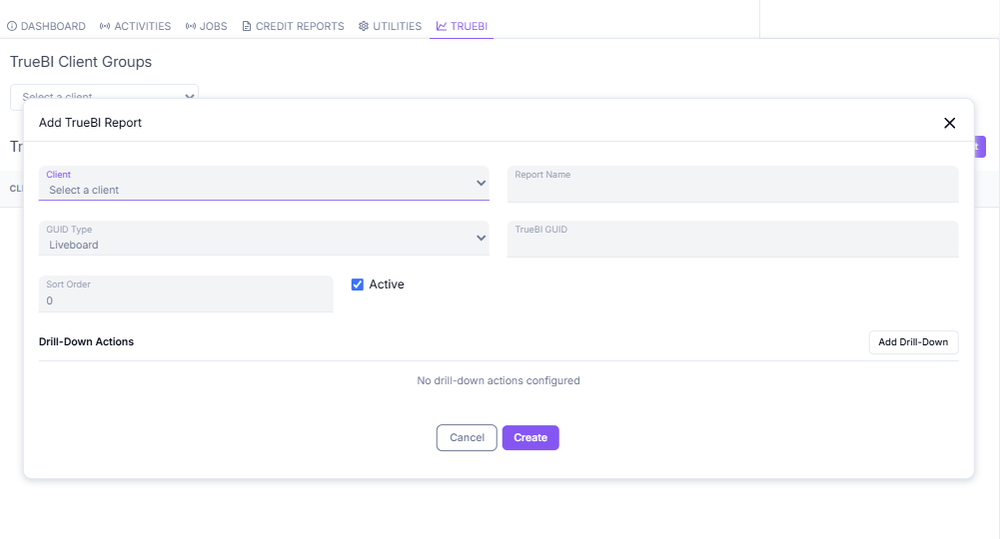
Figure The Add TrueBI Report configuration dialog.
Back to: Administrator Tasks and Actions