Configuration Bar
The Configuration Bar provides access to key administrative settings for a client, including custom fields, portal appearance, data sources, and account statuses. Most settings in this section are managed by administrators. Select Configuration in the top navigation bar to open the dropdown showing Client Fields, Lender Fields, and Statuses.
Client fields
The client fields page manages custom fields for client records. Authorized users can view existing fields, edit them, add new ones, or control their visibility and access. Locked items cannot be edited.
Lender fields
Lender fields are primarily configured by administrators and are included here for agent awareness. This section lets administrators define custom data fields associated with lenders, extending the standard lender profile with additional information required for reporting, scripting, or operational purposes.
Portal settings
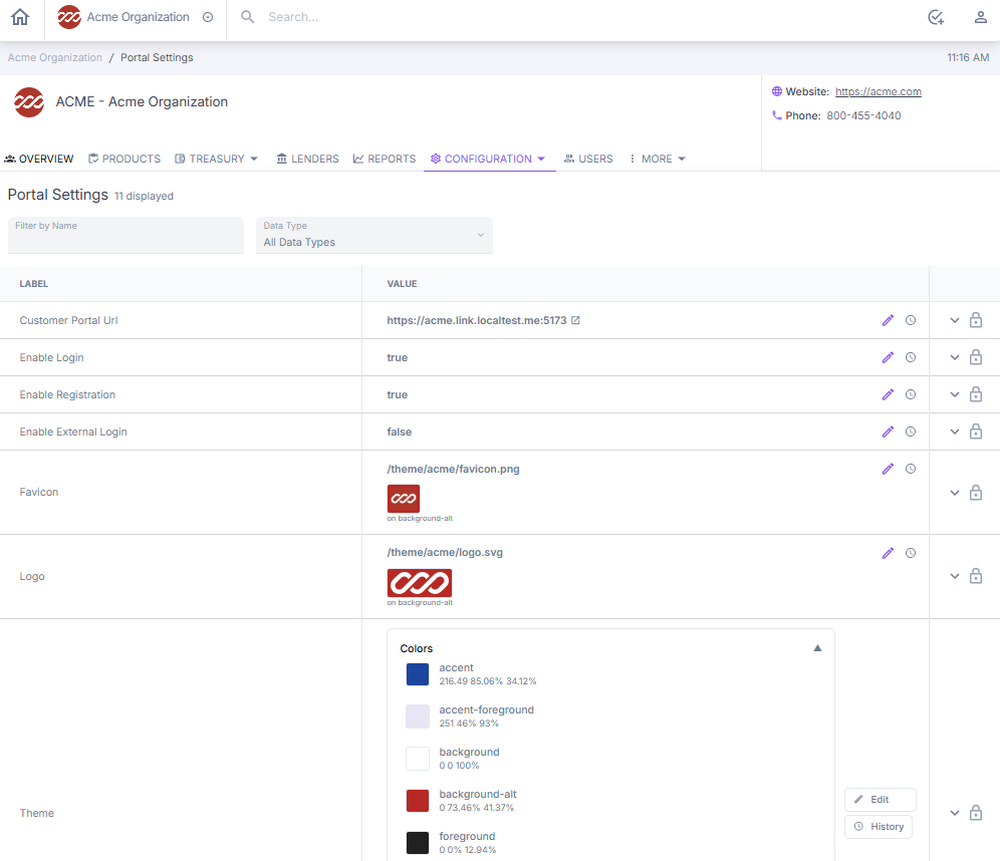
Portal settings control how the customer-facing portal looks, functions, and behaves. Settings include the logo, color scheme, fonts, URL, and other design and access controls that affect what customers see when they log in.
Data sources
The Data Sources section lets administrators configure secure external connections that the platform uses to import or exchange data with outside systems. Agents have limited interaction with this section but should understand its purpose.
Statuses
The Statuses section lets administrators define and manage the condition of accounts within the platform. Each status controls what actions and processes are permitted or restricted — such as whether payments are accepted, late fees are charged, or credit is reported. The four default status categories are Open, Closed, Paused, and Pending.
Next: Continue to Navigation to Obligations and Obligors for how to locate and access individual accounts.