Obligations
The obligation page contains all information related to a specific account. It includes the obligor's contact information, along with tabs for summary, contacts, activities, details, payments, ledgers, and more.
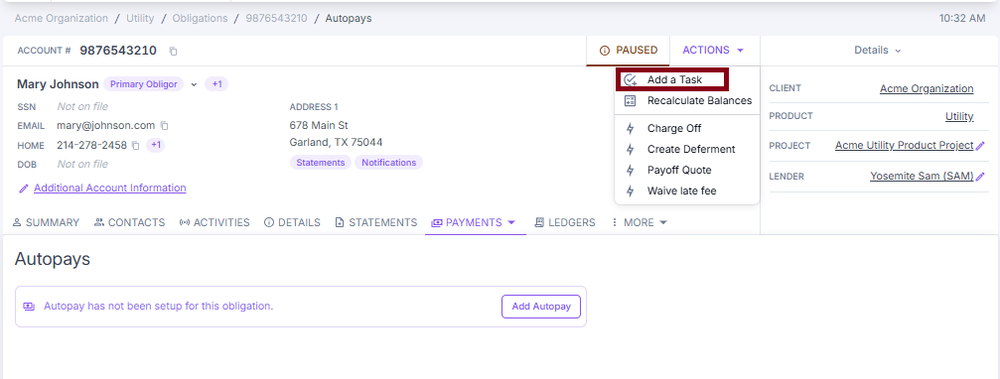
Actions menu
The Actions menu provides critical tasks for agents. Options include adding a task, recalculating a balance, creating or ordering documents, generating payoff quotes, issuing paid-in-full confirmations, and other account actions.
System behavior
While you don't need to memorize all the underlying logic, it's helpful to understand how the system automatically manages key account values:
- Recalculate balances — certain fields are automatically updated by ConcordLink based on system logic
- Payoff amount — reflects the principal, interest, and fees through today
- Interest fields — accumulated interest and the interest processed date are updated as payments are made or interest accrues
- Delinquency status — updates automatically based on unpaid installments
- Write-offs — if a small balance remains due to overpayment or underpayment, ConcordLink may automatically write off the balance and mark the obligation as Paid in Full. Write-offs are defined by client and product; the ledger, activity log, and status update accordingly
These values are not manually edited and may change dynamically—always trust what the system displays.
ConcordLink applies fees automatically based on client-configured rules:
- Late fees — charged when installments are not paid by the end of the grace period
- NSF / return fees — triggered when a payment fails due to insufficient funds or a return
- Fee rules — the amounts, grace days, maximum fees per period, percentages, fixed rates, and other fee parameters vary by client and product
Summary
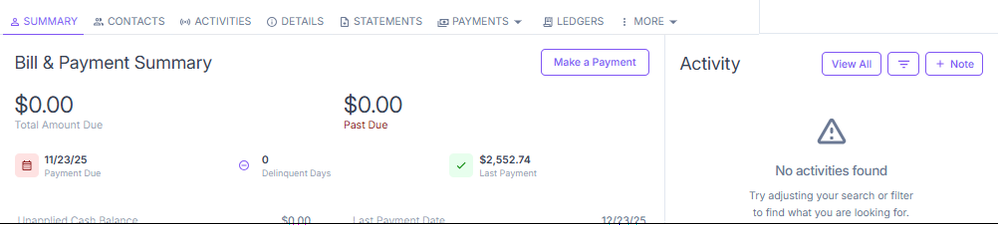
The Summary section is the default landing tab when opening an obligation. It displays the bill and payment summary, including the amount due, past due balance, payment due date, delinquent days, key financial figures, pending payments, and autopay status.
Account contacts
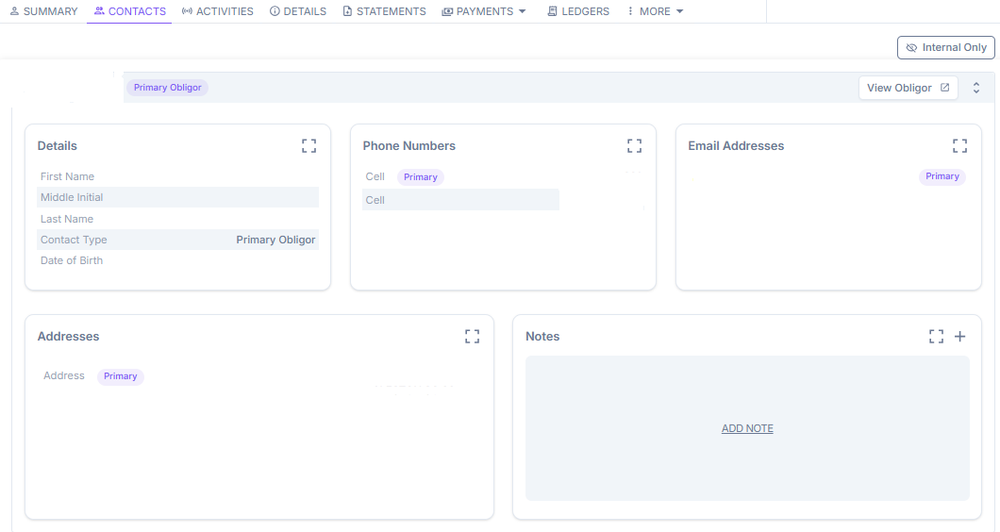
The Contacts tab displays all contacts associated with the obligation, including the primary obligor and any co-borrowers or related parties. Contact details—name, phone, email, SSN, date of birth, and address—are managed within this area. The tab includes three sub-tabs: Account Contacts, Communication Preferences, and Customer Portal. Access additional sections — Related Obligations, Workflows, Credit Report History, and Audit History — from the More dropdown in the tab bar.
To add a contact, select Add Account Contact. Fill in the required fields and select Add Contact to save.
The Communication Preferences sub-tab controls how each contact receives documents and notifications. The Customer Portal sub-tab manages portal login and registration for each obligor.
Activities
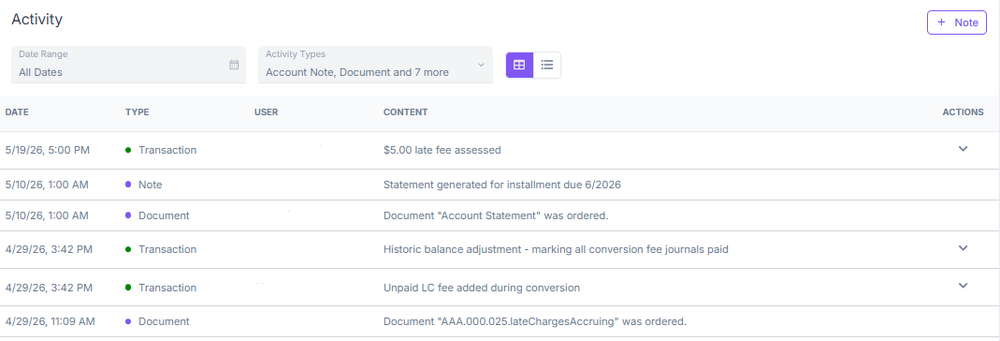
The Activities tab includes a full log of all activity on the account, including notes, status changes, communications, and system events. You can filter, view all, or add a new note directly from this section.
Details
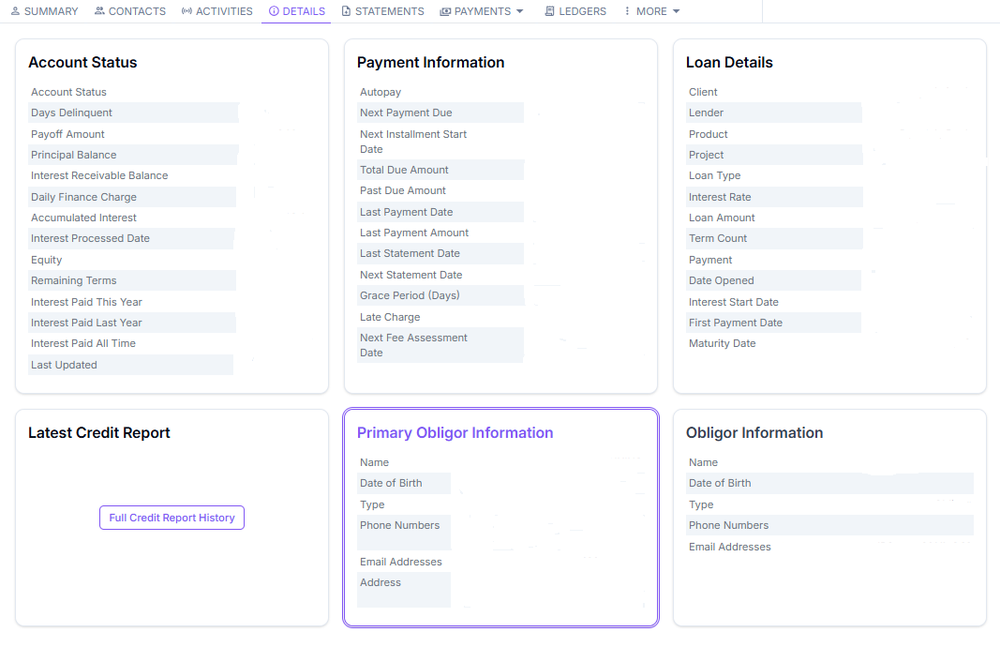
The Details tab contains detailed account-level information and configuration fields specific to the obligation. You can view loan terms, rates, and account attributes not shown in the Summary.
Payments
The Payments dropdown provides access to Account History, Payments, Make a Payment, Autopays, and Payment Methods.
Audit History
The Audit History view is accessible from the More tab dropdown. It shows field-level changes — what changed, when, and who made the change.
Next: Continue to Obligations — Statements, Payments, and Ledgers for statements, payment processing, ledgers, and the More menu.