Product Configuration — Financial Settings
Ledgers
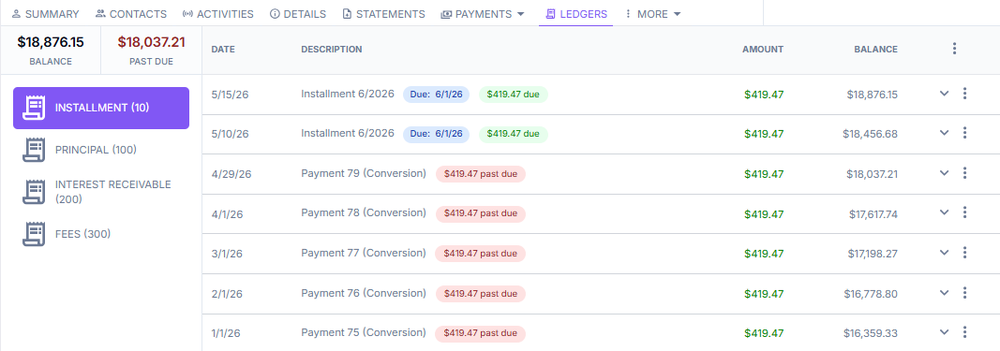
This section configures the financial ledgers used to track monetary transactions on obligations, such as principal, interest, fees, and escrow. It defines how funds are categorized and recorded throughout the life of a loan.
To add a ledger, select + Ledger and fill in the Ledger Type, Code, Name, and Description fields. You can optionally check Exclude From Payment Spread to exclude the ledger from payment spread calculations.
Return reasons
Return reasons define and manage the predefined reasons used when a payment is returned on an obligation under this product template. Configuring return reasons ensures consistent categorization of returned payments and enables automated responses such as retry attempts, fee assessments, and borrower notifications.
When no return reasons have been configured, the page displays "No Return Reasons found."
Assign failures to
Before adding return reasons, authorized users can use the Assign Failures To dropdown menu to designate a user responsible for handling associated payment failures.
Add a return reason
Select + Return Reason to open the New Return Configuration form. Fill in the Name, Bank Code, Subcode, Payment Method, Max Retries, and Within fields. You can configure a Blanket Fee or fee By State.
State fee tables
State fee tables allow you to define fee amounts that vary by jurisdiction. When a return reason is configured with a "By State" fee, the system references the state fee table to determine the applicable charge. When no state fee tables have been configured, the page displays "No state fee tables found."
To add a state fee table, select + State Fee Table. Fill in the Name and Description fields. Use the Apply to all jurisdictions section to set a Type (Fixed or Percentage) and Amount, then click Apply to all to populate every state at once, or configure individual jurisdiction amounts in the table below.
Add-on fees
This section configures any additional fees that can be applied to obligations beyond standard charges. Authorized users can define fee types, amounts, and the conditions under which they are applied. The list shows each fee's Name, Channel, Payment Method, Transaction Subcode, Fee Ledger, Fee amount, and whether it is Conditional.
Add-on fees are configured at the product template level and apply to all accounts using that product template. Always verify the correct channel and method are selected.
To add an add-on fee, select + Add-on Fee. Fill in the Name, Payment Channel, Payment Method, Ledger, Transaction Subcode, Fee Type, Amount, and optional Condition fields.
Payment spread
Payment spread defines how incoming payments are applied to a borrower's account — specifically how funds are distributed across installments, fees, and other outstanding balances. This configuration is set at the product template level and governs payment allocation behavior for all accounts under that product.
Projects
The Projects section lets administrators or authorized users create and manage projects associated with a product template. Projects can group or categorize accounts under a specific initiative, development, or portfolio segment within a product.
Credit reporting
The Credit Reporting section maps Metro2 tradeline fields to their data sources within the product. Each field can be mapped to a specific obligation or product field, or left unset to inherit default built-in behavior. Fields left unset inherit from the blueprint product.
Webhooks
Agents don't edit webhooks directly — this is an administrator function. Clients and integration partners can subscribe to real-time push notifications when data changes in ConcordLink. Webhook integrations trigger automated notifications or data pushes to external systems when specific events occur on obligations under this product.
Next: Continue to Treasury Panel for treasury configuration and financial settlement.